Track Stocks and Crypto in One Dashboard: A Complete Guide
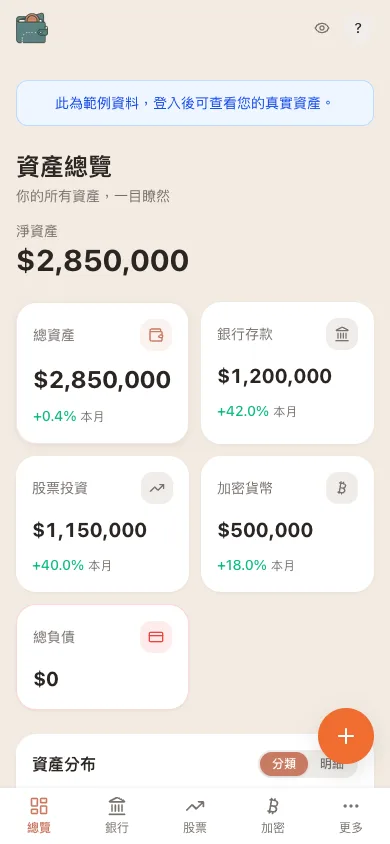 WalletMap mobile dashboard with bank, stocks, and crypto in one overview
You've probably been here. Salary lands in one bank, emergency fund sits in a high-yield savings account at another, local stocks live on one broker, US equities on another, and crypto is sprinkled across three exchanges. Every time you want to answer "what am I actually worth?" — five logins, copy-paste, mental math.
WalletMap mobile dashboard with bank, stocks, and crypto in one overview
You've probably been here. Salary lands in one bank, emergency fund sits in a high-yield savings account at another, local stocks live on one broker, US equities on another, and crypto is sprinkled across three exchanges. Every time you want to answer "what am I actually worth?" — five logins, copy-paste, mental math.
It's not just annoying. When your portfolio spans countries, currencies, and asset classes, fragmented data means you're making decisions half-blind.
What fragmented investing actually costs you
A pretty typical globally-diversified setup these days: a checking account for emergencies, local stocks (ETFs and individual names) on a domestic broker, US equities on a US broker, BTC and ETH on crypto exchanges, and maybe some foreign currency deposits or international positions on the side.
When everything lives in a different system, a few problems show up fast.
No unified view. You open five to ten sites, log in, jot down numbers. By the time you're done with the math, prices have moved.
Currencies blur together. Local stocks in your home currency, US equities in USD, crypto sometimes in USDT. FX moves quietly behind the scenes — your real net worth shifts daily, and you can barely see it.
Risk allocation becomes guesswork. You meant to be 40/40/20 across local stocks, US equities, and crypto. But one rallied, another tanked, and now you're 30/50/20 — and you won't notice unless you check by hand.
Rebalancing is invisible. Did one position get too big? Are you underweight somewhere? Without a single dashboard, every one of those questions costs real effort.
Four approaches, honestly compared
No solution is perfect. Here's the real tradeoff for each.
Option A: pure manual Google Sheets
The full DIY approach. Build your own spreadsheet, log into each platform on a schedule, paste in numbers, let formulas do the totals.
You get total control — the data is yours, the layout is yours, no third parties involved, and it's free. The catch is the upkeep. Updates eat time, manually entered prices go stale fast, formulas alone won't give you decent visualizations, and you're handling currency conversion by hand.
If your portfolio is simple (a few ETFs plus a savings account), manual Sheets is genuinely fine. The moment things get complicated, the maintenance load piles up.
Option B: paid aggregators (Morningstar, Yahoo Finance Portfolio, etc.)
These services let you link or add brokerage accounts and view everything in one interface.
The upside is real: high automation, professional analysis tools, charts, performance metrics, risk views, all in one place. Some of them have great historical data. The downsides are also real: linking your accounts means handing over credentials or tokens, connections break and need re-auth, not every broker or exchange is supported, crypto coverage tends to be weaker than stocks, and a lot of the deeper analytics sit behind a paywall.
Best fit if your portfolio is complex and you're comfortable with your data living on someone else's servers. Major platforms have decent security, but if that tradeoff bothers you, look elsewhere.
Option C: DIY API automation
What developers reach for. Write scripts that hit broker APIs, crypto exchange APIs, and FX APIs, and pipe the data into your own database or spreadsheet.
Total customization, data stays on your machines, full automation possible. The cost is that you need to write code, APIs change all the time and break your scripts, and you're now responsible for storing API keys safely. Fun if you're an engineer. Not realistic for most investors.
Option D: Google Sheets + WalletMap
WalletMap takes the middle road — Google Sheets for data ownership, automation for the repetitive price-update grind.
The core idea: your holdings live in your own Google Sheets, WalletMap connects to that Sheet, and the system fetches stock prices, exchange rates, and crypto prices for you, then renders a visual dashboard on top.
In practice:
-
You make a Google Sheet listing everything:
- Cash: $100,000
- TSMC (2330): 50 shares
- Taiwan 50 (0050): 20 shares
- Apple (AAPL): 10 shares
- Bitcoin: 0.5 BTC
- Ethereum: 5 ETH
-
WalletMap connects with read-only access.
-
The system automatically pulls stock prices, fetches crypto prices, converts currencies, totals it all, and builds the charts (allocation pie, currency breakdown, performance over time).
-
Your dashboard shows total net worth, allocation by asset type and currency, current prices and daily change for each holding, and growth curves over time.
Good things: data stays in your Google Drive, the backend doesn't store sensitive financial information, prices update automatically, stocks and crypto and multi-currency are all supported, and it's free. Honest tradeoffs: holdings are entered manually (no automatic bank sync), you need a Google account, you have to update the Sheet when you trade, and right now it's web-first with no native mobile app.
Best fit for people who want automated price updates without parking financial data on a third-party server. Way more convenient than pure manual Sheets, but not as completely hands-off as a full aggregator.
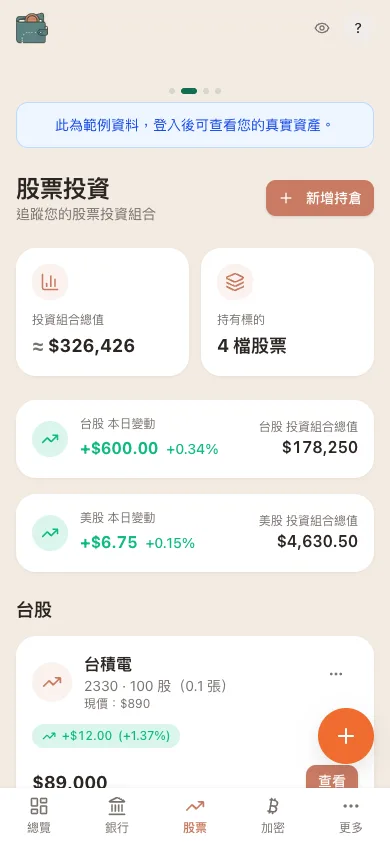 WalletMap mobile stocks page with auto-refreshing daily change
Comparison Summary
| Manual Sheets | Aggregation Platforms | DIY Code | Sheets + WalletMap | |
|---|---|---|---|---|
| Automation | Low | High | High | Medium |
| Technical barrier | Low | Low | High | Low |
| Data location | Your device/cloud | Platform servers | Your systems | Your Google Drive |
| Crypto support | Manual price lookup | Partial | Fully custom | Supported (CoinGecko) |
| Multi-currency | Manual conversion | Most support it | Fully custom | 12 currencies, auto-convert |
| Cost | Free | Partially paid | Free (but time-intensive) | Free |
Quick read: most convenience → aggregator. Total customization → write your own. Balance between convenience and data control → Sheets + WalletMap. Simple portfolio, no installs → manual Sheets is fine.
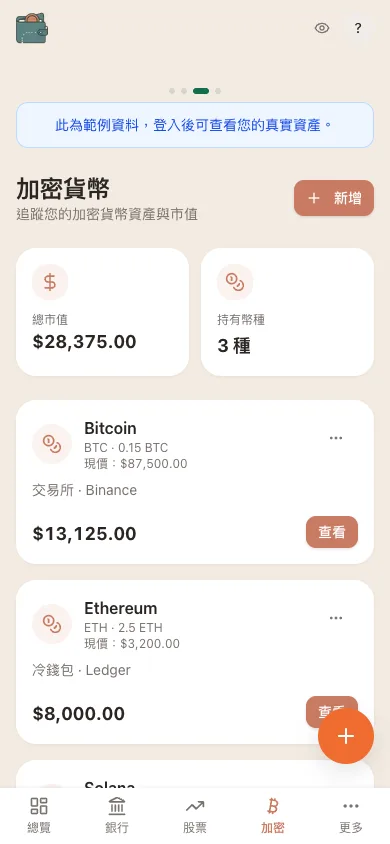 WalletMap mobile crypto page grouping cold wallets and exchanges
A concrete example
Say this is your portfolio:
| Asset | Holding | Current Value |
|---|---|---|
| Cash (TWD) | NT$100,000 | NT$100,000 |
| TSMC (2330) | 50 shares | NT$240,000 |
| Taiwan 50 (0050) | 20 shares | NT$48,000 |
| Apple (AAPL) | 10 shares @ $180 | NT$58,500 |
| Bitcoin (BTC) | 0.5 | NT$636,000 |
| Ethereum (ETH) | 5 | NT$68,400 |
| TOTAL | NT$1,150,900 |
Doing this manually means logging into your bank, your local broker, your US broker, your crypto exchange, and an FX site, then converting and summing everything. Realistically that's 15–20 minutes.
With WalletMap, you list holdings once in Sheets, and from then on the dashboard shows auto-updated numbers. Trades happen, you update the Sheet, you're done.
Getting started
- Create a Google Sheet with all your holdings (cash, stocks, crypto)
- Connect WalletMap to that Sheet (read-only)
- Let the system handle price updates — stocks, crypto, FX
- Watch the full picture come together on the dashboard — allocation charts, trends, currency breakdown
When your investments span countries, currencies, and asset classes, a single tool saves real time and gives you actual visibility into your allocation.
Each approach has its own strengths — aggregators are the most hands-off, manual Sheets is the most flexible, WalletMap sits in the middle. Pick whichever matches how you actually work.
Whatever you choose, the only thing that really matters is starting. Once you can see the whole picture, every other investment decision gets easier.
I personally landed on Option D — the holdings still live in the Google Sheet I already had, WalletMap just pulls TW stocks, US stocks, and crypto into one view and handles the FX. If "don't want to hand over account credentials, but also don't want to keep pasting prices" describes you, that middle path is roughly the trade I made.